Test results and history
Every test. Every detail.
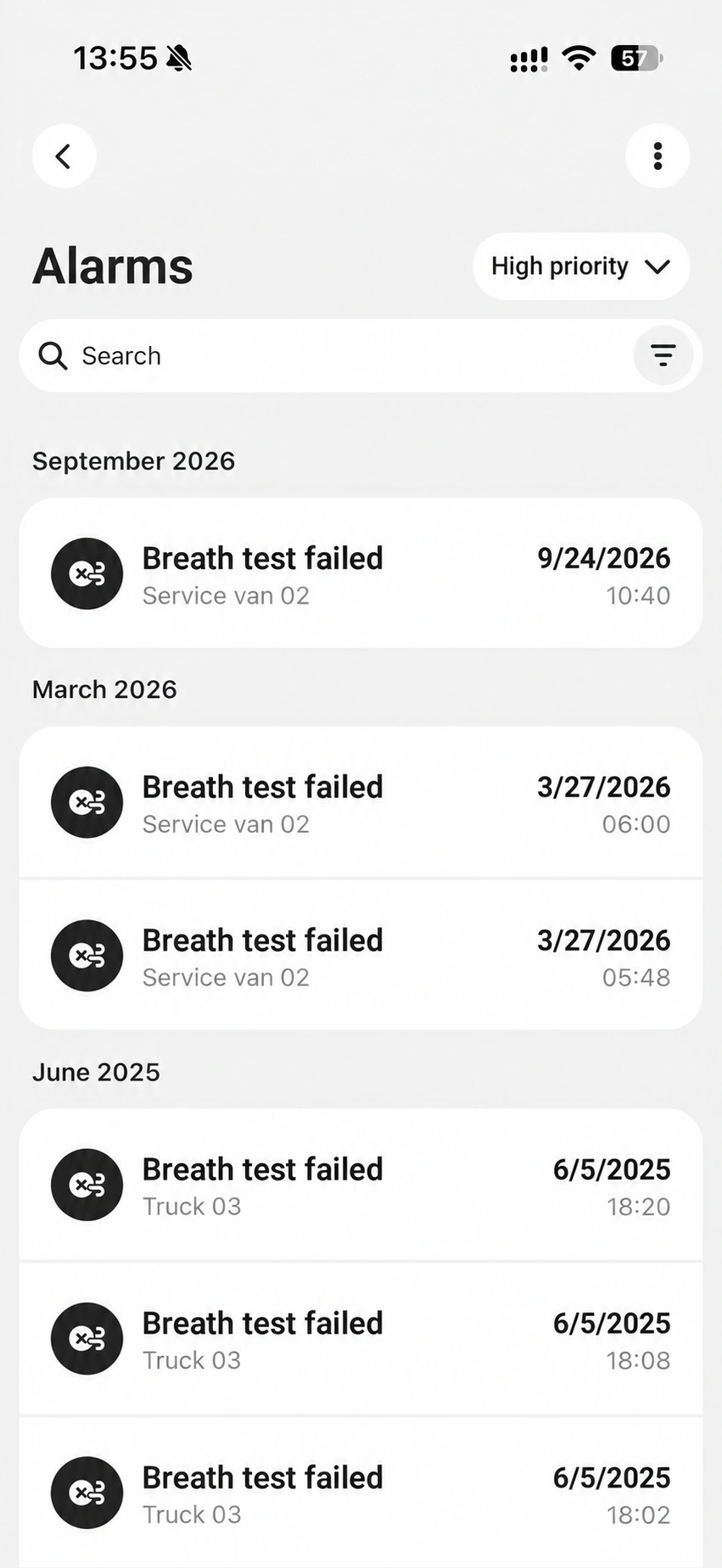
Both failed and passed breath tests are saved in AlkoLarm. Open a test at any time to see its timestamp, alcohol level and the vehicle’s recorded location.
AlkoLarm brings test results and events from your AL-100 alcolocks to your phone and the web.
For iOS, Android and web browsers.Requires AL-100 with the AlkoLarm accessory.
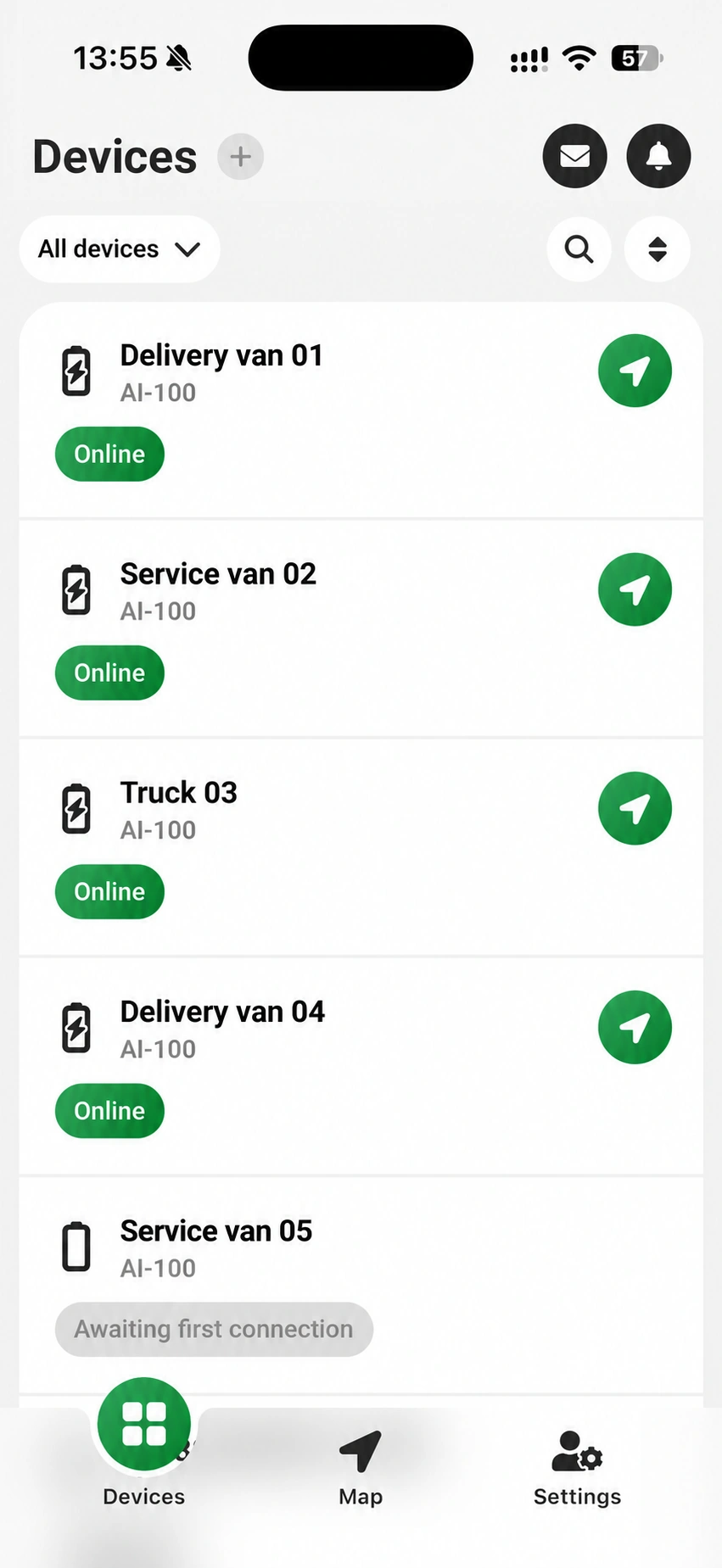
What is AlkoLarm?
From the vehicle to you
The alcohol interlock records the breath test, whether it is passed or failed.
Choose which tests you want notifications for: failed, passed or invalid. Notifications come straight to your phone, and alerts can also be sent by email.
View test results and alerts in AlkoLarm. Each alert also shows the vehicle's current location, so you know where the event happened.
Alcohol levels can be displayed for both passed and failed tests. Dignita support can turn off the display of alcohol levels if regulations require it.
AlkoLarm in the app
Review test results, tailor notifications and handle urgent situations. The same account on your phone and on the web.
Test results and history
Both failed and passed breath tests are saved in AlkoLarm. Open a test at any time to see its timestamp, alcohol level and the vehicle’s recorded location.
AlkoLarm in the app
Review test results, tailor notifications and handle urgent situations. The same account on your phone and on the web.
Test results and history
Both failed and passed breath tests are saved in AlkoLarm. Open a test at any time to see its timestamp, alcohol level and the vehicle’s recorded location.
Account settings
Choose which alarms and events you want notifications for. Enable or disable them at account level directly in the app or web app. Each user can tailor notifications for their own account.
Remote override
If the feature is enabled for your account, you can temporarily bypass the alcohol interlock yourself when an urgent situation requires it. Activate override remotely in the app and choose how long it should remain active, wherever you are.
Interlock information in the systems you already use.
Send information, events and alerts automatically to your own systems or systems from other providers, such as a fleet or vehicle management system.
Ask your IT team or system provider for a webhook URL where your system can receive information from AlkoLarm. Send the URL to Dignita, and we will help you activate the integration.
Agree with Dignita which events you want to receive, such as failed tests, passed tests or service events.
Keep the information in the tools you already use. This reduces manual work and lets you use interlock events in your own workflows.
Depending on what the receiving system supports, the information can be used for internal notifications, follow-up or service planning.
Technical documentationConnection setup, webhooks, JSON format and event types.
From installation to overview
To use the service, you need the AlkoLarm accessory together with your AL-100 alcohol interlocks.
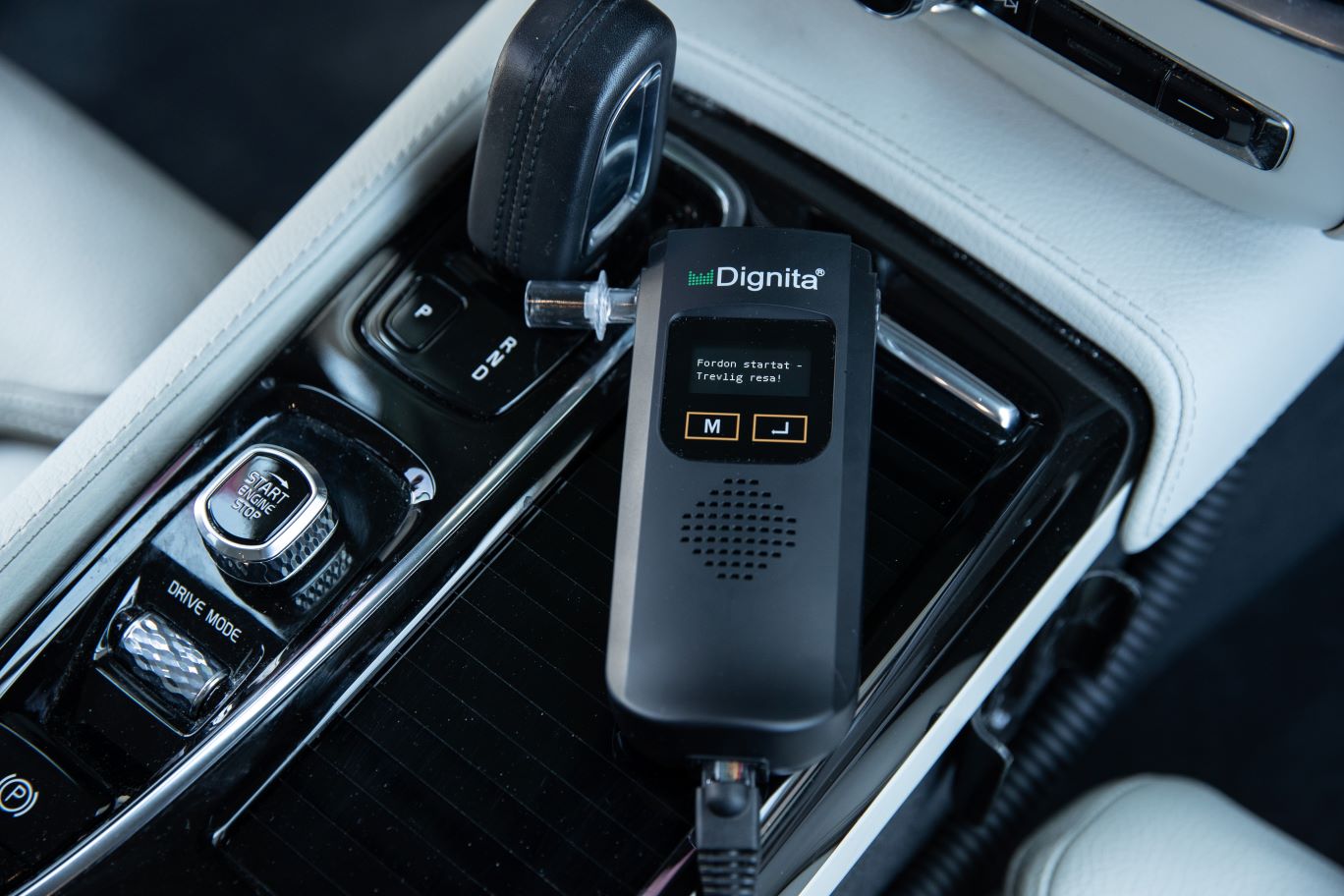
Order your AL-100 alcolocks together with the AlkoLarm accessory and service from Dignita or a Dignita partner.
Download and install Dignita AlkoLarm from the App Store or Google Play.
Create an account in the app, or log in with the credentials you received when your alcolocks were delivered or installed.
Get alerts, view events, review history, customise your notification settings and much more, on your phone and the web.
You need AL-100 alcolocks with the AlkoLarm accessory and an account. If you already have AL-100 alcolocks, contact your Dignita representative to find out how you can add AlkoLarm to them. Use the app on iOS or Android, or open the web app in your browser.
Yes. Each user can choose their own notification settings for alarms and events, both for their entire account and separately for each vehicle. Alarms and events can also be sent to selected email addresses without the recipients needing their own AlkoLarm account, for example to an HR department.
Yes, you can also receive notifications when a breath test is passed. Dignita support activates the feature for you on request.
Yes, you can view alcohol levels in per mille for both passed and failed breath tests. The feature is activated on request. Viewing permissions can be set for each user account, so some users can see alcohol levels while others in the same fleet cannot. Dignita support can turn off the display of alcohol levels if regulations require it.
The account administrator can share access to vehicles with colleagues. Each colleague can then choose their own notification settings.
Ask your IT team or system provider for a server endpoint and send it to Dignita. We help you activate the integration and choose which events to receive. The integration guide below describes the connection and message formats.
Technical documentationDownload the app to your phones. On a computer, open the web app directly in your browser.
Contact us to find out more about AlkoLarm. We can answer your questions about the app and help you get started.